01 / FIND YOUR RHYTHM
A Pomodoro timer.
Not another open tab.
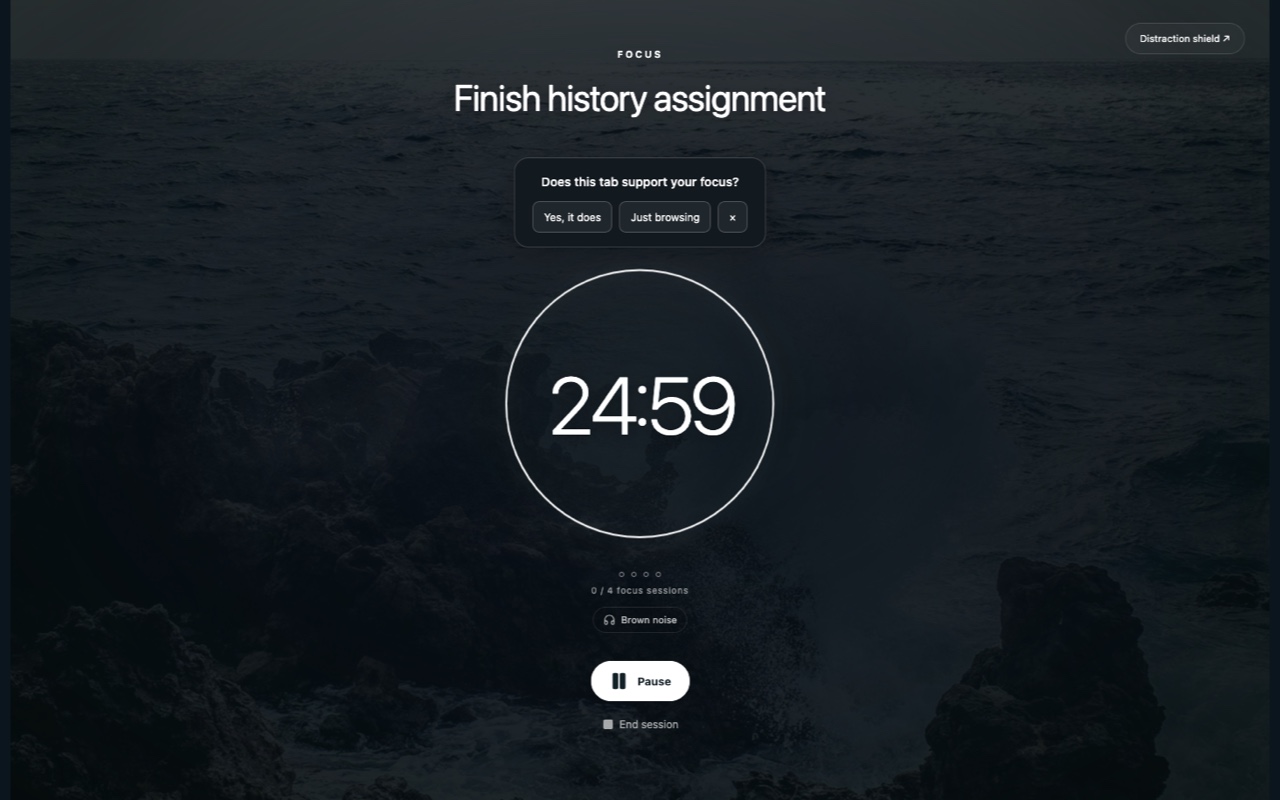
Pick one thing to work on. Set a focus session, take a break, and see your progress. Make the focus and break lengths work for you.
 FocusFlow
A beautiful place to start. A focus timer to keep going. Turn your new tab into a calmer workspace for the things that matter.
Meet your new everyday space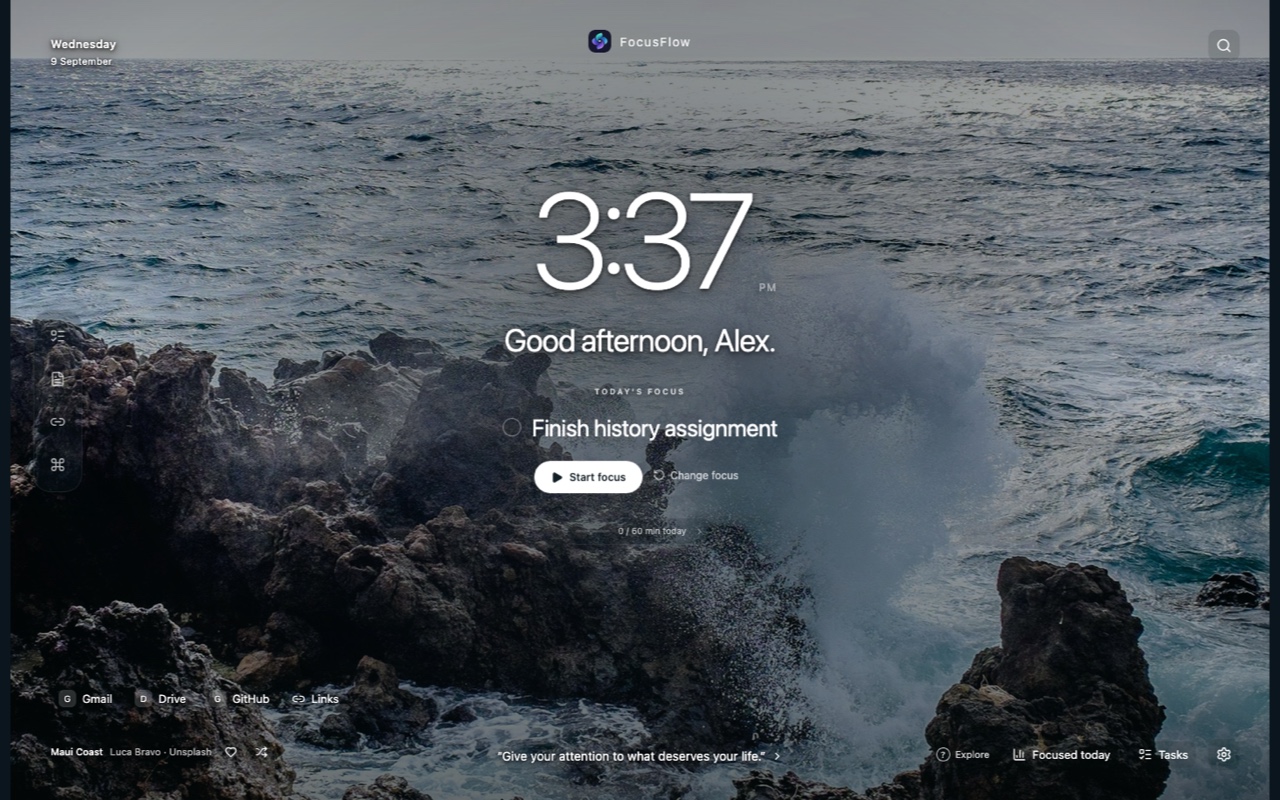
FocusFlow is a free productivity extension for Chrome and Firefox. Your focus timer, tasks, notes and favorite backgrounds—together in one intentional new tab.
Pick one thing to work on. Set a focus session, take a break, and see your progress. Make the focus and break lengths work for you.
Keep tasks in lists, capture a quick thought in Notes, and put your most important intention front and center.
Choose a scenic background or bring your own photo. Adjust colors, fonts and widgets. Settle in with rain-inspired sounds, ocean waves or brown noise.
Stay on trackOptional distraction blocking keeps selected sites out of the way while you focus. Website-access permission is required.
Keep the useful things closeQuick links, world clocks, countdowns and metrics give your everyday tools a home.
Know what workedFocus statistics and optional session reflections help you look beyond minutes and notice meaningful progress.
Screens shown are product previews. Layout and feature availability may vary as store updates roll out.
No files to unpack. No developer mode.
Install from your browser’s official extension store, then open a new tab.
On your phone? Open this page on your laptop or desktop to install FocusFlow.
From the Chrome Web Store
Use the button below in Chrome. Look for FocusFlow-Intentional Tab Design and the swirl logo.
Click “Add to Chrome,” review the permissions, then choose “Add extension.”
Open a new tab. If Chrome asks about the change, confirm that you want to keep FocusFlow. Choose your background and first focus.
From Firefox Browser Add-ons
Use the button below in Firefox. Look for FocusFlow-Intentional Tab Design and the swirl logo.
Click “Add to Firefox,” review the requested permissions, then confirm with “Add.”
Open a new tab and keep FocusFlow as your new-tab page if prompted. Follow the welcome setup and set your intention.
Already using a different new-tab extension? You may need to disable it so FocusFlow can appear. School or work browser policies may restrict installation.
Yes. FocusFlow’s built-in productivity tools are free to use, with no FocusFlow account required. Optional third-party services, such as Spotify, have their own terms and account requirements.
It replaces your browser’s new-tab page with a customizable productivity dashboard. You can set a daily intention, use a Pomodoro focus timer, organize tasks, write notes, and choose a background that feels like you.
Open a new tab, write what you want to accomplish and start a focus session. Try 25 minutes of work followed by a short break, or customize the timer to suit your routine. Your current intention stays visible while you focus.
Yes. Pick a built-in background or upload your own photo, change the accent color and font, and choose which widgets appear. You decide what stays in your space.
Your FocusFlow tasks, notes and preferences stay in your browser’s local storage. They are not automatically synced between Chrome and Firefox. Optional services such as weather and Spotify connect to their respective providers.
Of course. Open your browser’s extension manager and disable or remove FocusFlow. Export any important notes or data before uninstalling, because local extension data may be deleted.
Free for Chrome & Firefox.